Facebook Lead Ads Source
Facebook Lead Ads is a popular lead generation marketing tool. It helps you generate leads at scale through forms, calling, and messaging solutions.
This guide will help you set up Facebook Lead Ads as a source in Datablit.
Prerequisites
- A Facebook business account.
- You must have created a form for your Facebook page from where you want Datablit to ingest the leads data.
Setup
- Go to your Datablit console > Event > Select or Create project > click Add Source. From the list of source type, select facebook_lead_ads.
- Specify a name for your source and click Create.
- Your Facebook Lead Ads source is now configured. Copy the Webhook URL:
Configure webhook
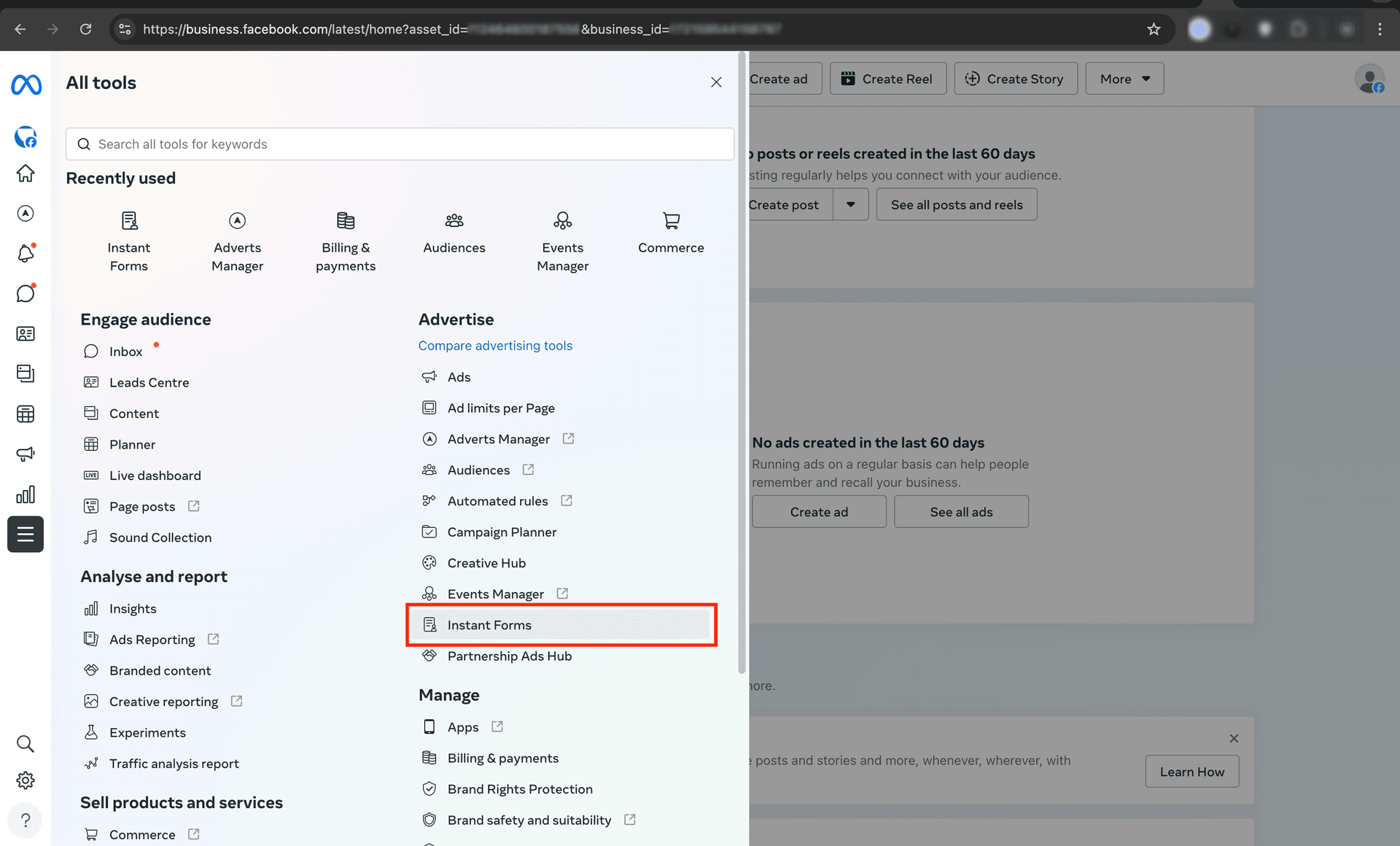
- Go to your Business Tools page and click All Tools > Instant Forms.
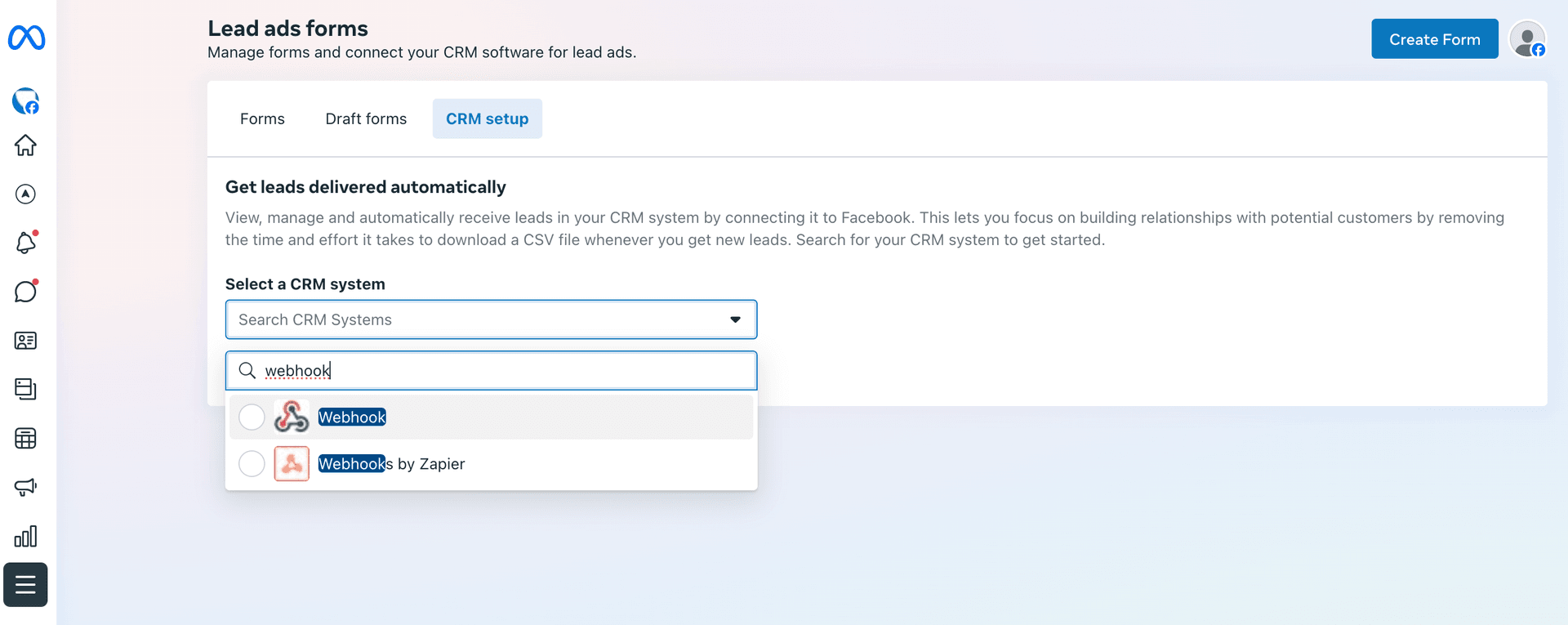
- Go to the CRM setup tab and search for Webhook.
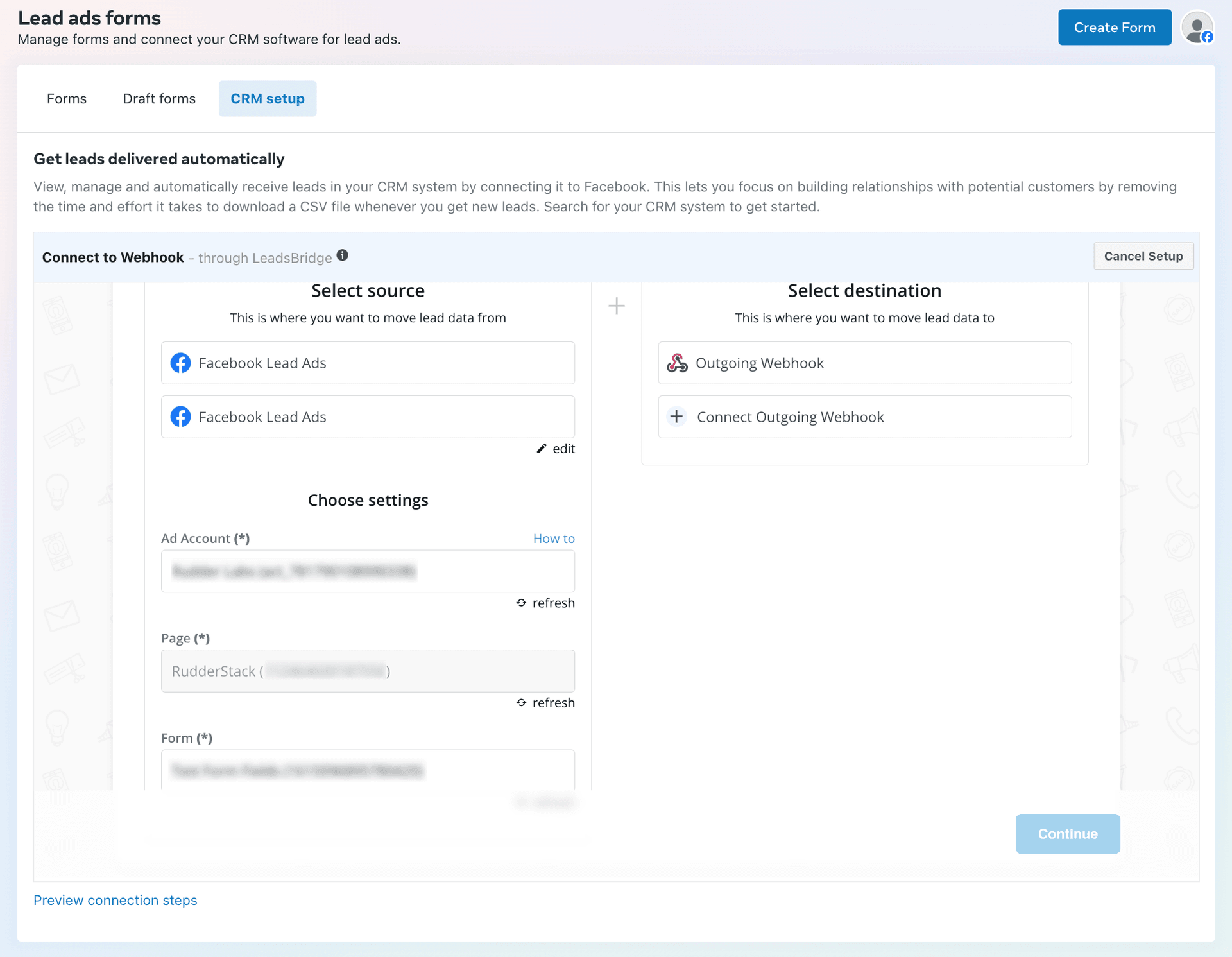
- Under Select source, select the source from where you want to ingest the lead data. Then, select the required Ad Account, Page, and Form under Choose settings.
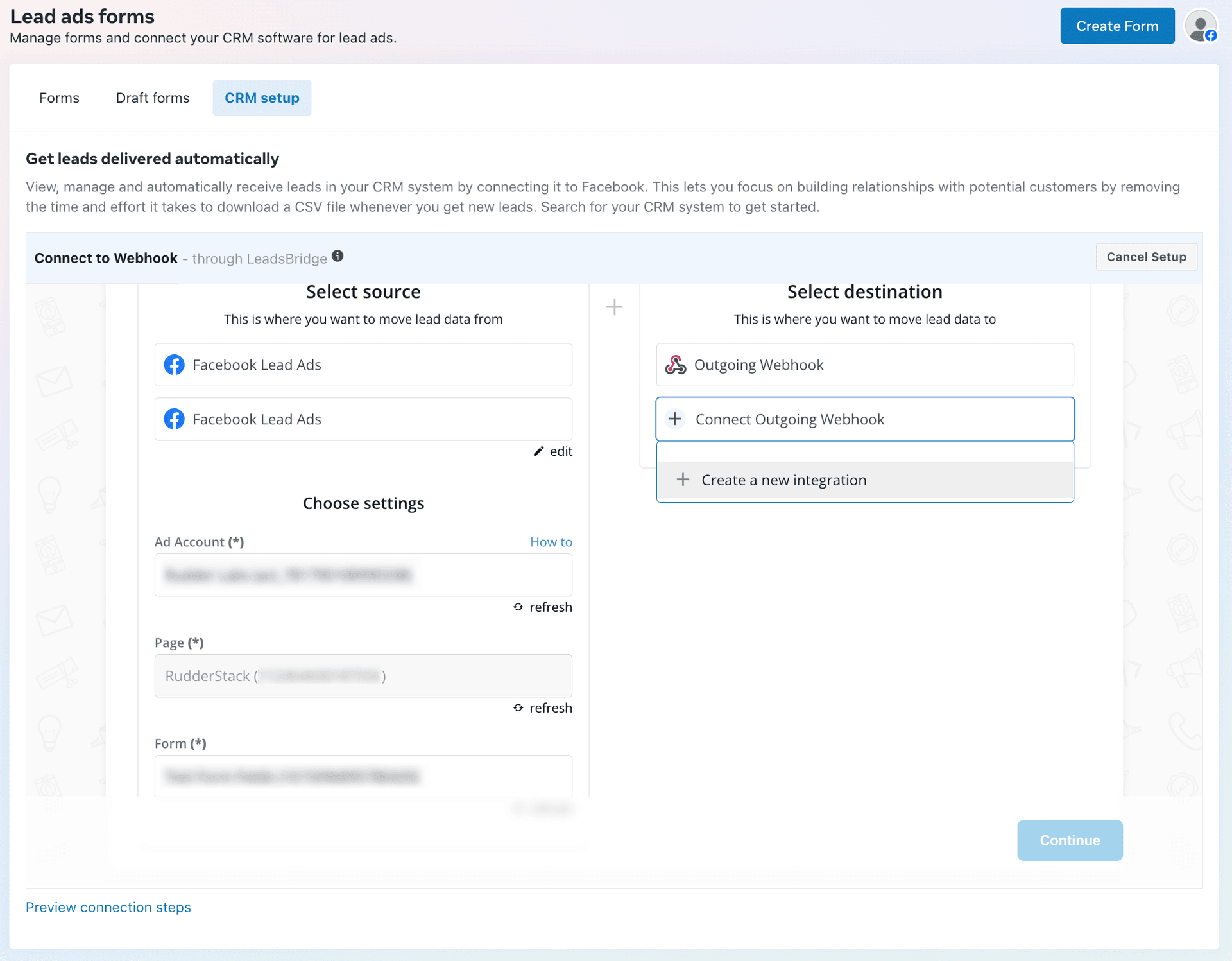
- Under Select destination, click Create a new integration.
- Configure the below settings in the resulting window. You can also configure the other settings as per your requirement. Then, click Authorize to proceed.
Setting Notes URL Your source webhook URL obtained from the Datablit dashboard. Method Set it to POST. 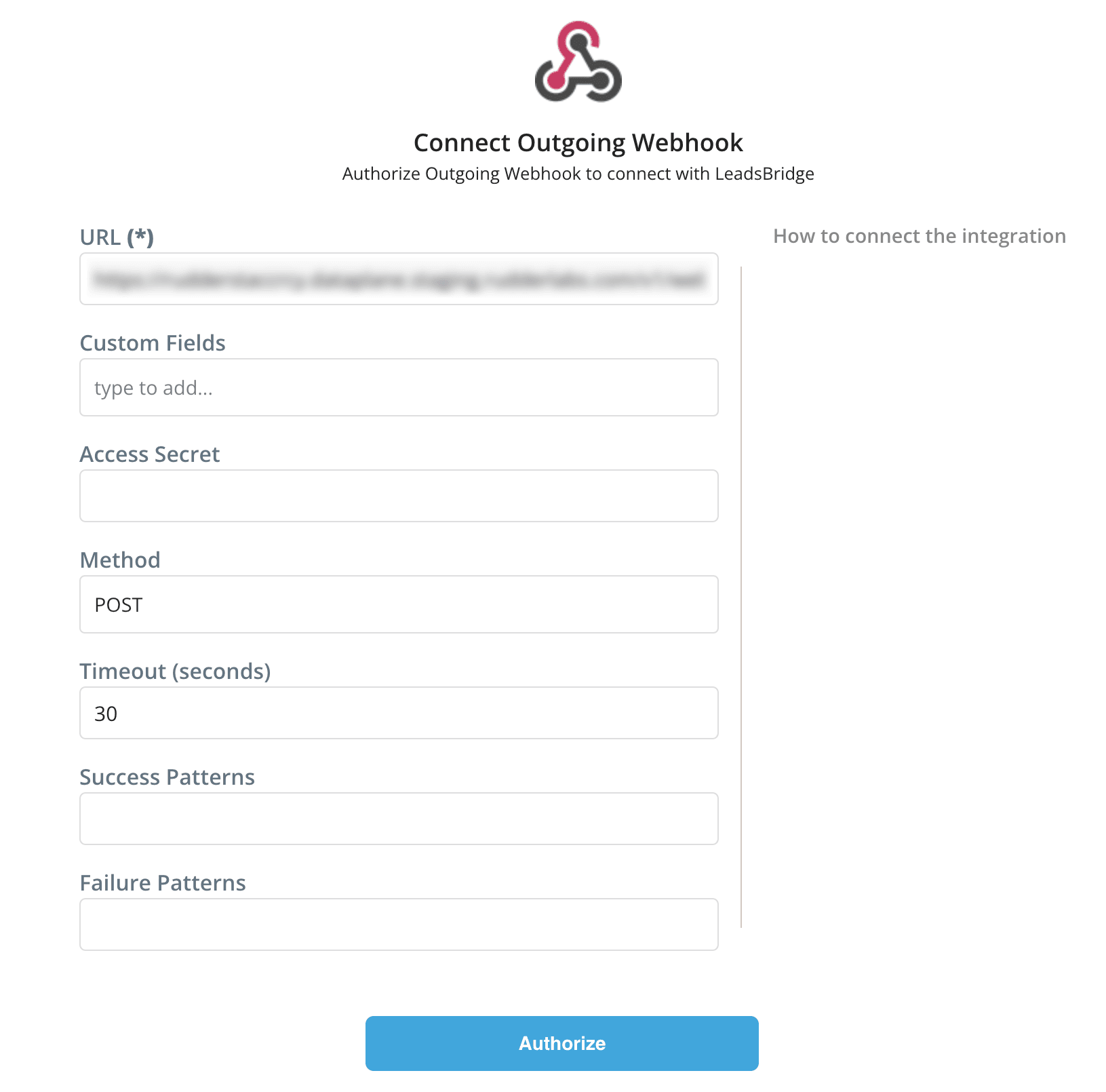
- Specify a name for the integration and click Continue.
- Go back to the CRM setup page where you will see the integration set up above. Click Continue to proceed.
- Optional: Add mappings and filters for incoming leads.
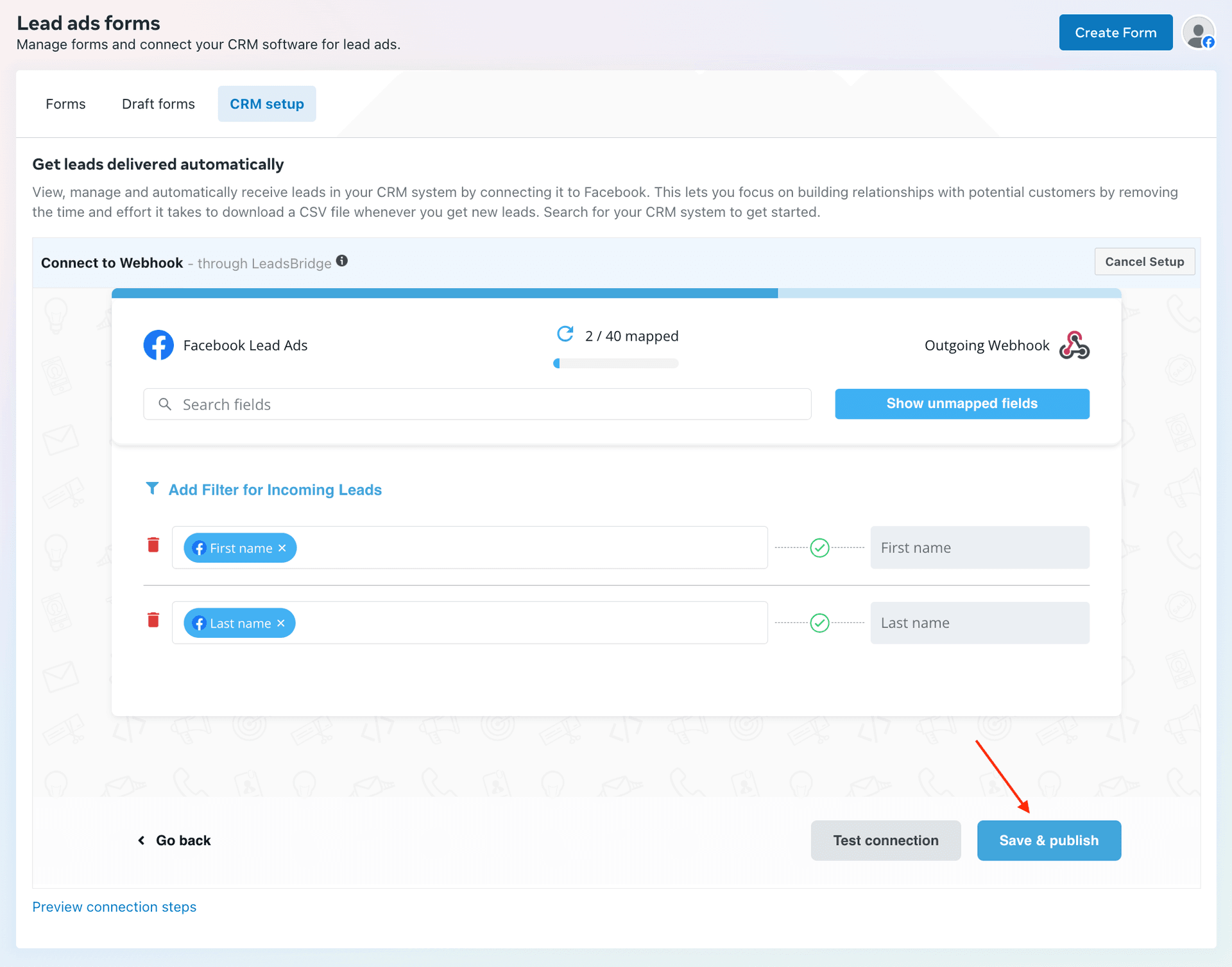
- Click Test connection to test this integration. Make any changes to the setup as required, then click Save & publish.
Supported mappings
Datablit ingests the following Facebook Lead Ads properties as identify traits:
| Facebook Lead Ads property | Datablit property |
|---|---|
| id | userId |
| created_time | originalTimestamp |
Datablit maps any other fields apart from the above mappings directly into the context.traits object, for example, marital_status, job_title, work_email, military_status, full_name, etc.
Sample payload and transformation
This section details how Datablit receives the data from Facebook Lead Ads and creates the resulting payload.
A sample payload sent by Facebook Lead Ads is shown:
http
POST /v1/webhook?apiKey=<source_api_key> HTTP/1.1
Host: <webhook-domain>
content-type: application/x-www-form-urlencoded
accept: */*

id=3960271960958574&created_time=02%2F01%2F2025%2010%3A20&first_name=First&last_name=Last&phone_number=%2B910123456789&custome_field=custom&street_address=Blue%20Street&city=Bengaluru&state=Karnataka&country=IN&date_of_birth=01%2F01%2F2000
Datablit transforms the above payload into the following identify payload:
json
{
  "traits": {
    "first_name": "First",
    "last_name": "Last",
    "phone": "+910123456789",
    "custome_field": "custom",
    "street_address": "some street",
    "city": "Bengaluru",
    "state": "Karnataka",
    "country": "IN",
    "date_of_birth": "01/01/2000",
  },
  "messageId": "message-id",
  "originalTimestamp": "2025-02-01T10:20:00.000Z",
  "type": "identify",
  "userId": "3960271960958574"
}